Online AI Video Background Remover& Privacy Blur Studio
Remove video backgrounds without a green screen, auto-blur faces and license plates, or key green screens and verify transparent video locally for free.
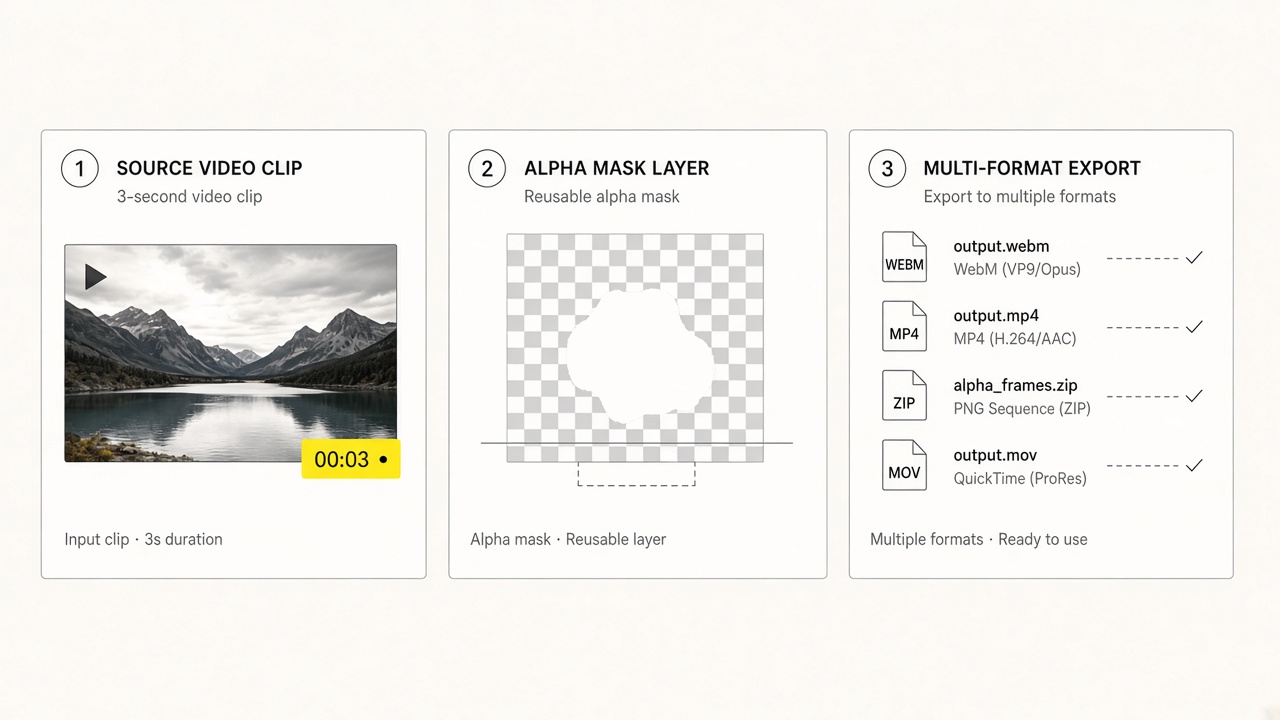
Drop a video to auto-isolate subject · Default: Transparent WebM
Isolate portraits or products without a green screen, then export transparent video or swap in a solid, image, or video backdrop.
Supported input: MP4, MOV, WebM video files (up to 200 MB · cloud jobs about 60s · up to 4K 4096×4096)
Export & billing: Transparent WebM (VP9), composed H.264 MP4, or PNG alpha ZIP · 3s preview is 3 credits, background swaps stay free for 7 days
All Video Tools, Available in One Place
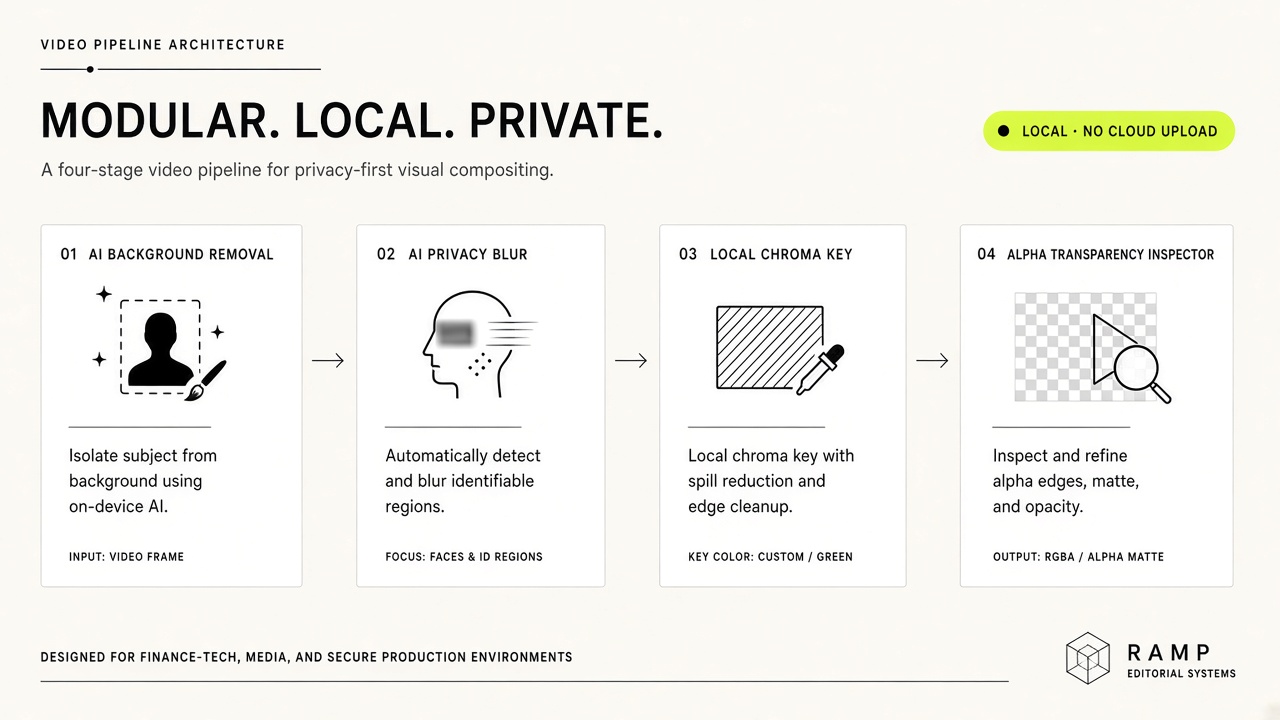
Switch seamlessly between cloud AI background cutout, multi-target privacy blur, and zero-upload browser chroma & alpha tools.
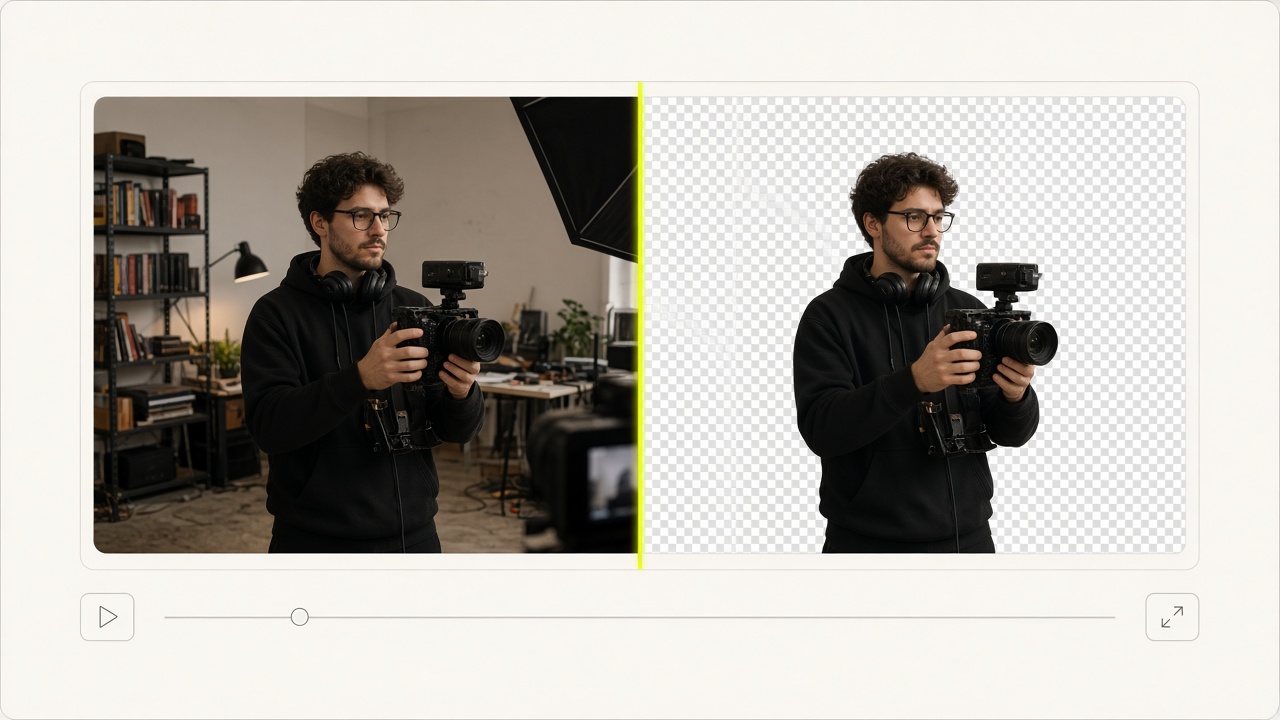 CLOUD AI · SAM33s Preview · 7d Free Re-edit
AI Video Background Remover
Isolate speakers or products without a green screen using auto matting or SAM3 text prompts.
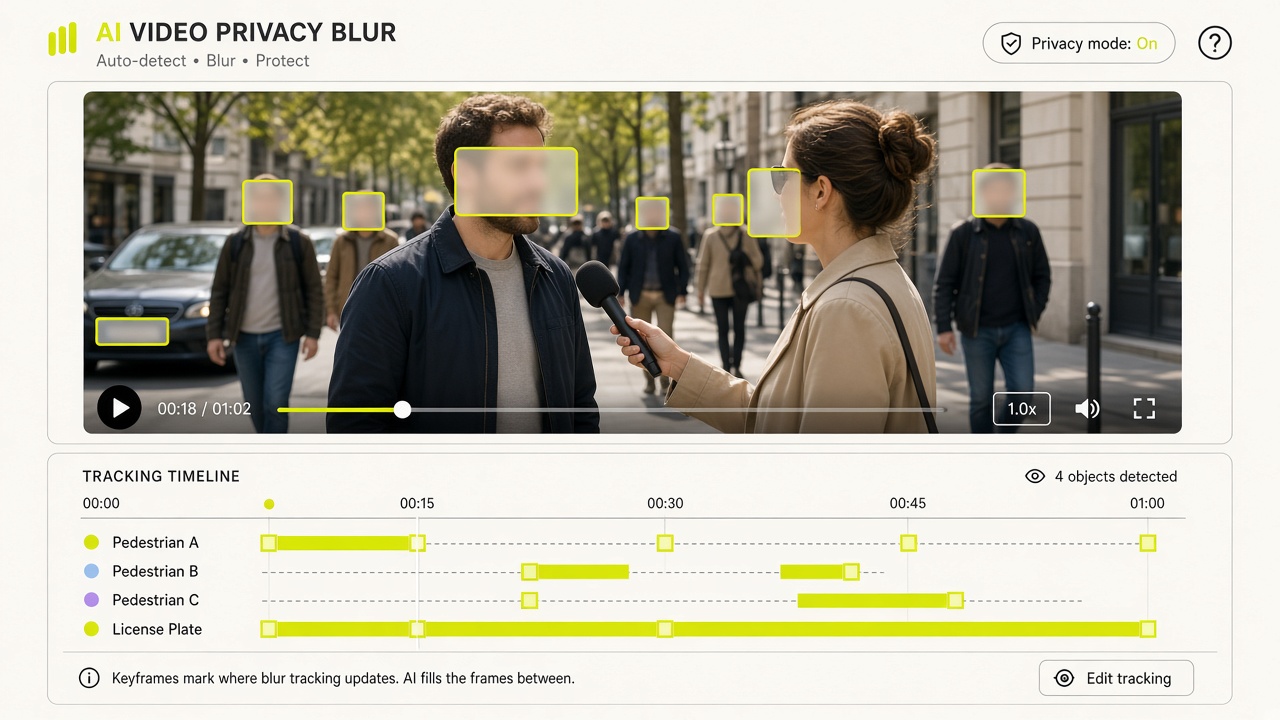 AI PRIVACY BLURAuto Refund on 0 Hits
Blur Faces in Video
Automatically track and blur bystanders, interviewees, or minors across moving frames.
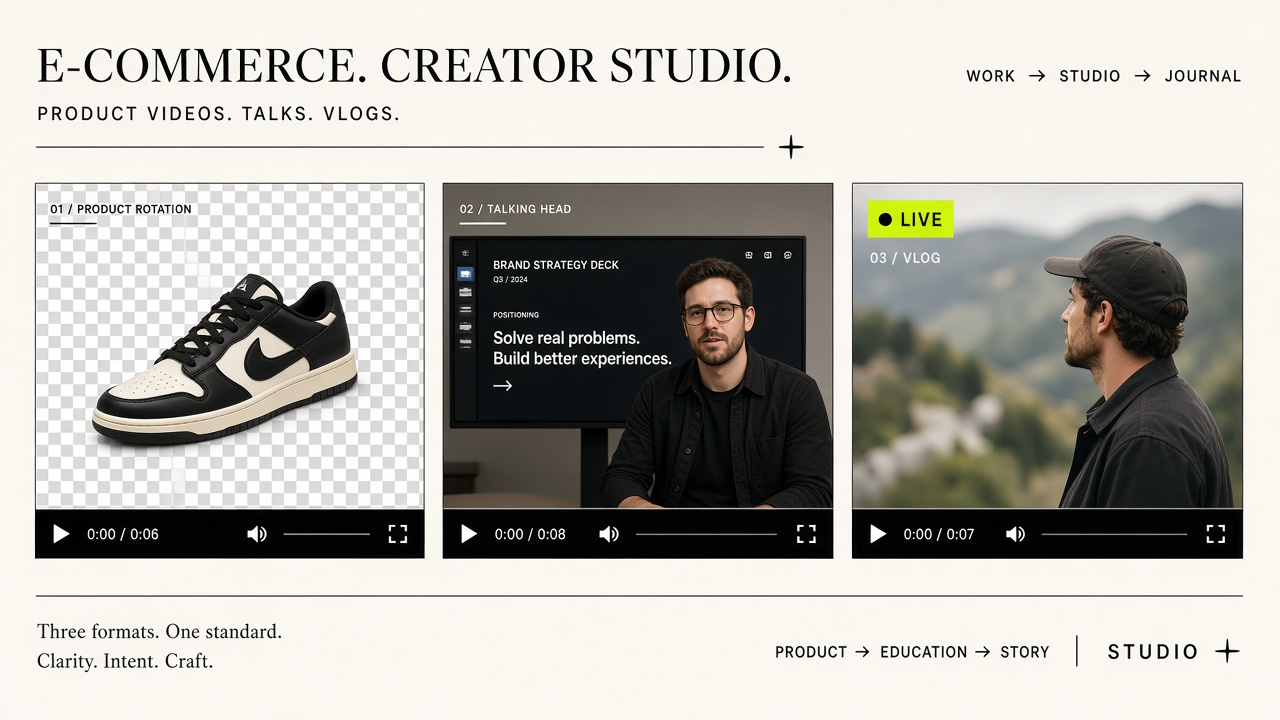 PLATE TRACKERDashcam & Street
Blur License Plates
Track and anonymize moving vehicle license plates in dashcam and automotive footage.
 SCREEN REDACTIONMonitors & Phones
Blur Screens in Video
Blur computer monitors, laptop displays, and phone screens in office walkthroughs.
 DUAL PRIVACY BLURFaces + Plates in 1 Pass
Faces & License Plates Blur
Detect and blur both human faces and vehicle license plates in a single AI pass.
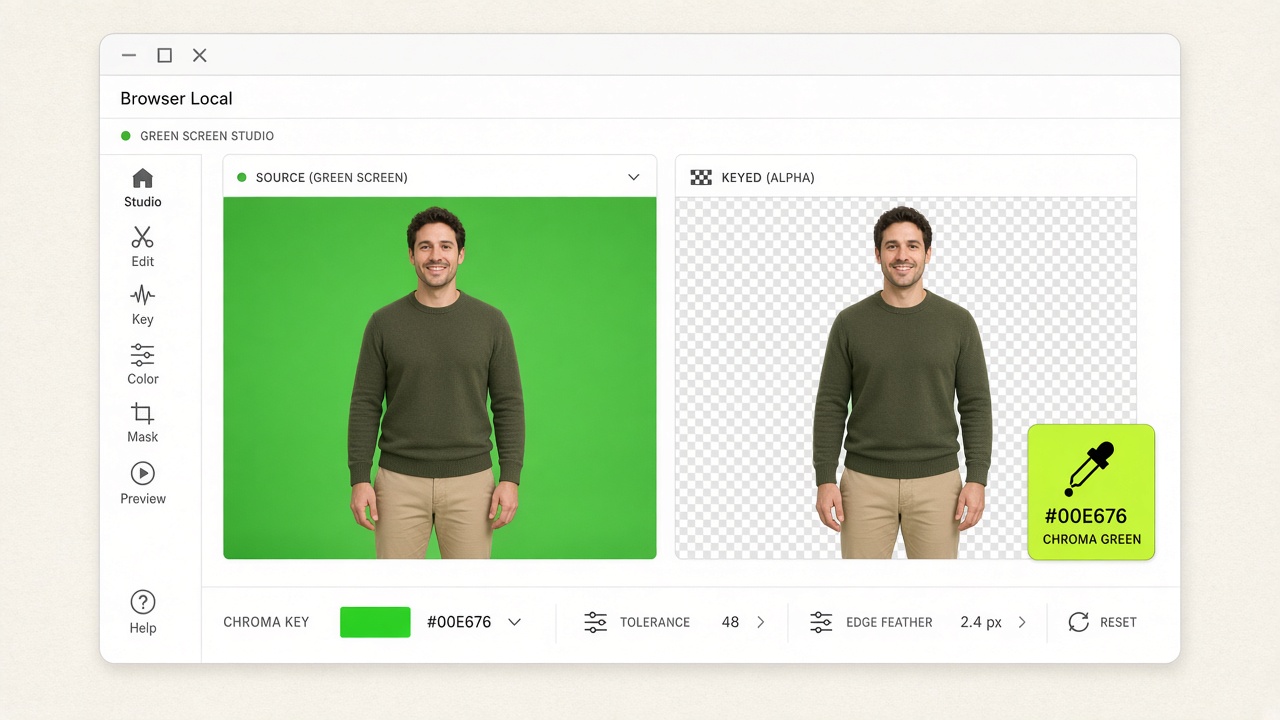 FREE LOCAL · 0 UPLOADWebGL2 Spill Suppression
Green Screen Chroma Key
Real-time browser-local WebGL2 chroma keyer with similarity, smoothness, and spill controls.
FREE LOCAL · BLUE KEYPreserves Green WardrobeBlue Screen Keying
Pre-configured for studio blue backdrops or custom eyedropper colors without uploading.
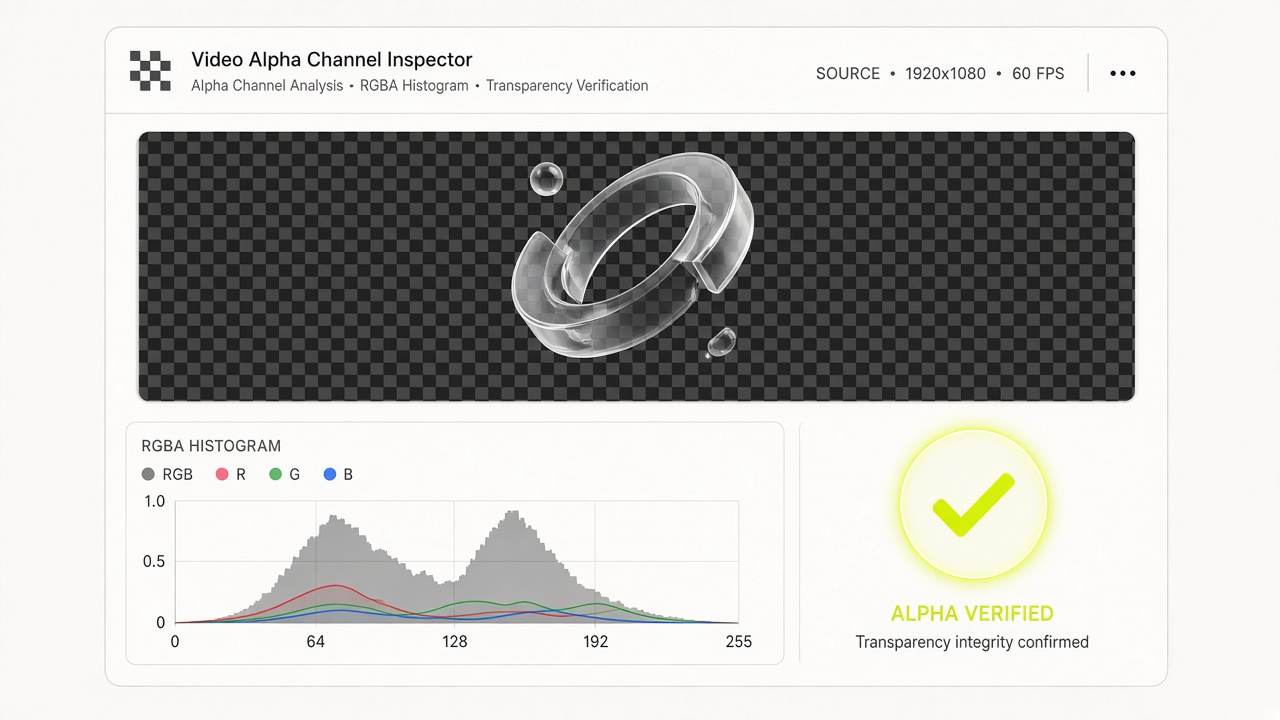 FREE LOCAL · INSPECTORAlpha Scan + HTML Snippet
Transparent Video Inspector
Verify real alpha channels vs fake checkerboards and copy Safari/Chrome <video> embed code.
Verify edge & blur accuracy on a 3s clip before full render
Swap backgrounds or tune blur intensity free for 7 days
Chroma key & alpha inspection run 100% inside your browser
Transparent WebM, H.264 MP4, Lossless MOV & PNG Sequence ZIP
One unified workbench for Cloud AI video cutout, privacy blur & zero-upload local keying
VideoBGRemover combines heavy-duty Cloud AI segmentation (Bria foreground matting + SAM3 text-prompted tracking) with 100% browser-local WebGL2 chroma keying and RGBA alpha channel inspection—eliminating timeline keyframing and costly subscriptions.
Green-Screen-Free AI Cutout
Auto subject or SAM3 prompt segmentation with 7-day free background swaps.
Multi-Frame Privacy Blur
Track faces, license plates, screens, or custom targets with 0-target auto refund.
Free Local Green/Blue Keyer
Zero-upload WebGL2 studio keyer exporting Transparent WebM, MOV & PNG ZIP.
Free Alpha Channel Inspector
Verify container tags and decoded RGBA transparency ratios locally in seconds.
Four specialized video engines built for creators & teams
AI Video Background Remover & Changer
Remove backgrounds without a green screen using Auto Subject detection or SAM3 text prompts (Keep / Add / Exclude) with 7-day free background swaps.
Exports: Transparent WebM · H.264 MP4 · PNG ZIP
AI Video Blur (Faces, Plates, Screens & Objects)
Track and blur faces, license plates, screens, or custom prompted objects across frames with automatic zero-target refund and free blur re-tuning.
Algorithms: Gaussian / Box · Free intensity re-renders
Free Browser-Local Green & Blue Screen Keyer
100% browser-local WebGL2 chroma keyer with live similarity, smoothness, and spill controls. Free forever with no sign-in or server upload.
Exports: Transparent WebM · Lossless MOV · PNG ZIP · MP4
Free Transparent Video Alpha Inspector
Scan RGBA frames locally to verify real alpha transparency in WebM or MOV clips, catch fake checkerboard encodes, and copy HTML5 video code.
Modes: 16-Frame Quick Scan / 900-Frame Deep Scan · Up to 500 MB
Engineered for predictable costs, zero-risk previews & studio delivery
3-Second Preview First (3 Credits)
Spend 3 credits on the first 3 seconds before processing the rest of the clip.
7-Day Mask Cache (0-Credit Re-Edits)
Once your mask is generated, swap solid/image/video backdrops or re-tune Gaussian/Box blur intensity unlimited times for 0 credits.
Cloud AI + Zero-Upload Local Tools
Use Cloud AI for complex natural scenes, or switch to our 100% free browser-local WebGL2 chroma keyer and alpha inspector.
100% Auto-Refund on Zero Blur Targets
If AI Video Blur detects zero faces, license plates, or screens in your clip, your reserved credits are automatically refunded in full.
How to remove backgrounds, blur privacy targets, or key green screens in 4 steps
Select Tool & Import Video
Pick AI Cutout, AI Blur, Local Chroma Key, or Alpha Inspector in the workspace above and drop your MP4, MOV, or WebM clip.
Configure AI or Chroma Mode
Choose Auto Subject, SAM3 text prompt, Face/Plate/Screen blur target, or sample your green/blue backdrop color locally.
Run 3s Preview or Live WebGL Tune
Cloud jobs show the quote first. A 3-second preview is 3 credits for automatic cutout or single-target blur. Local tools stay free in the browser.
Export & Re-Composite Free for 7 Days
Download Transparent WebM, MP4, MOV, or PNG ZIP. Cached cloud masks let you swap backgrounds or blur strength free for 7 days.
From e-commerce product clips to street privacy compliance & web alpha overlays
01 · E-Commerce Product Cutouts
Turn handheld product clips into clean studio or transparent videos.
02 · Talking-Head & Course Overlays
Export alpha overlays ready for Premiere, DaVinci, CapCut, or web players.
03 · Dashcam & Street Anonymization
Automatically blur faces, license plates, and monitors across frames.
04 · Zero-Upload Studio Keying & QA
Key green screens and verify alpha channels locally with zero upload.
Trusted by video creators, e-commerce studios & privacy teams
Workflow: AI Video Cutout + 7-Day Free Background Swap
“We used to rent a green screen stage for every footwear drop. Now we shoot handheld in our studio, run a 2-credit 3-second preview to check edge sharpness, and render the full clip. Having the alpha mask cached for 7 days lets us export white, grey, and campaign backdrops for 0 extra credits.”
Marcus Vance
Head of Creative Production, DTC Apparel Brand
Workflow: AI Faces + License Plates Dual Blur
“Manual keyframe masking for passerby faces and license plates in road-test videos used to eat two hours per episode. The combined Faces + Plates preset tracks everything in one pass—and whenever a B-roll clip has zero targets, it automatically refunds 100% of our reserved credits.”
Elena Rostova
Lead Post-Production Editor, Auto Media Desk
Workflow: Free Local Green Screen Chroma Keyer
“Our internal executive training clips contain confidential slides that cannot be uploaded to third-party servers. The browser-local WebGL2 chroma keyer lets us key green and blue screens with zero bytes uploaded, live spill suppression, and instant Transparent WebM export.”
David K. Sterling
Learning Experience Producer, Enterprise L&D
Workflow: Free Local Transparent Video Alpha Inspector
“Motion designers often hand over WebM or MOV files where transparency was accidentally flattened into opaque pixels. Dropping files into the free Alpha Inspector verifies both container metadata and decoded RGBA pixel coverage in seconds, plus gives us the exact HTML5 embed snippet.”
Hannah Lindqvist
Staff Design Technologist, Interactive Web Studio
Direct preset entry pages for specific video tasks
AI background remover01Remove Video Background
Start a fresh AI background-removal project without restoring an older workspace.
Faces02Blur Faces in Video
Open VideoBGBlur with face detection selected.
License plates03Blur License Plates in Video
Open VideoBGBlur with license-plate detection selected.
Screens04Blur Screens in Video
Open VideoBGBlur with the verified screen target selected.
Faces + Plates05Blur Faces & License Plates
Auto-track and blur both faces and vehicle license plates in one outdoor pass.
Green screen06Remove Green Screen from Video
Open the browser-local chroma-key tool with the green preset selected.
Blue screen07Remove Blue Screen from Video
Open the browser-local chroma-key tool with the blue preset selected.
Alpha detector08Test Video Transparency
Inspect alpha metadata and decoded transparent pixels locally in the browser.
Questions about video cutout, privacy blur & pricing
Can I remove a video background without a green screen?
Yes. Our cloud AI uses automatic foreground segmentation and SAM3 text prompts to isolate subjects from everyday footage without a green screen.
Can I test a preview before paying for the full video?
Yes. An automatic-cutout preview of the first 3 seconds costs 3 credits. Resolution does not change the price.
Does changing the background color or image later cost extra credits?
No. Your AI alpha mask is cached for 7 days, allowing unlimited free background swaps and re-exports.
What happens if AI Video Blur finds zero faces or license plates?
If zero matching targets are detected across your clip, all reserved credits are automatically refunded.
Do the local green screen and alpha inspector tools upload my video?
No. Both tools run 100% locally in your browser using WebGL2 and Canvas. No sign-in required and zero bytes leave your device.
What video formats, file sizes, and resolutions are supported?
Cloud tools support MP4, MOV, and WebM up to 200 MB, about 60 seconds per job, and 4096×4096 resolution. Local alpha inspection supports up to 500 MB.
Ready to process your first video clip?
Jump back to the workspace above to upload a clip or switch between our 4 tools.